Apply with Translation
Translating Forms on Different Devices
Translating Our Online Application
The school uses Google Forms for our online application and other forms for families. See instructions for translating google forms on different devices below:
-
On a Laptop or Chromebook
On a Chromebook or a laptop with the Chrome browser, you can right click (or control + click on a Mac) to bring up the context menu.
From the context menu, you will see translation options.

-
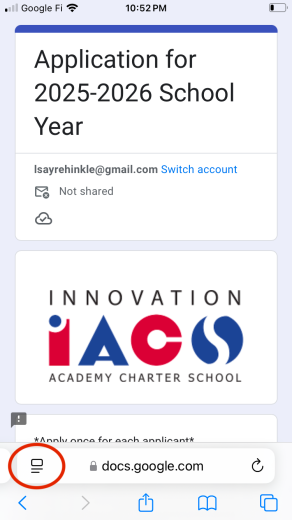
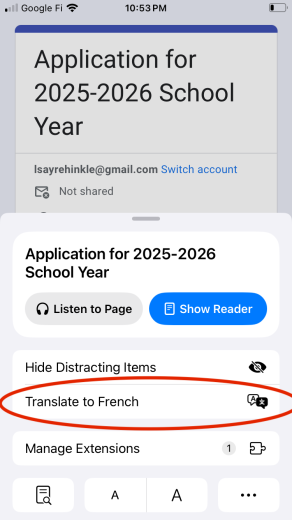
On an iPhone
On an iPhone, once you click on the Google Form, you should use the button in the lower-left to access the translate button.
-
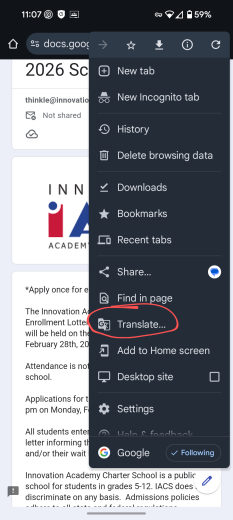
On an Android Phone
On an Android phone, you can use the three-dot context menu in the top right to access the translate option for our form.